 GymBro


Start
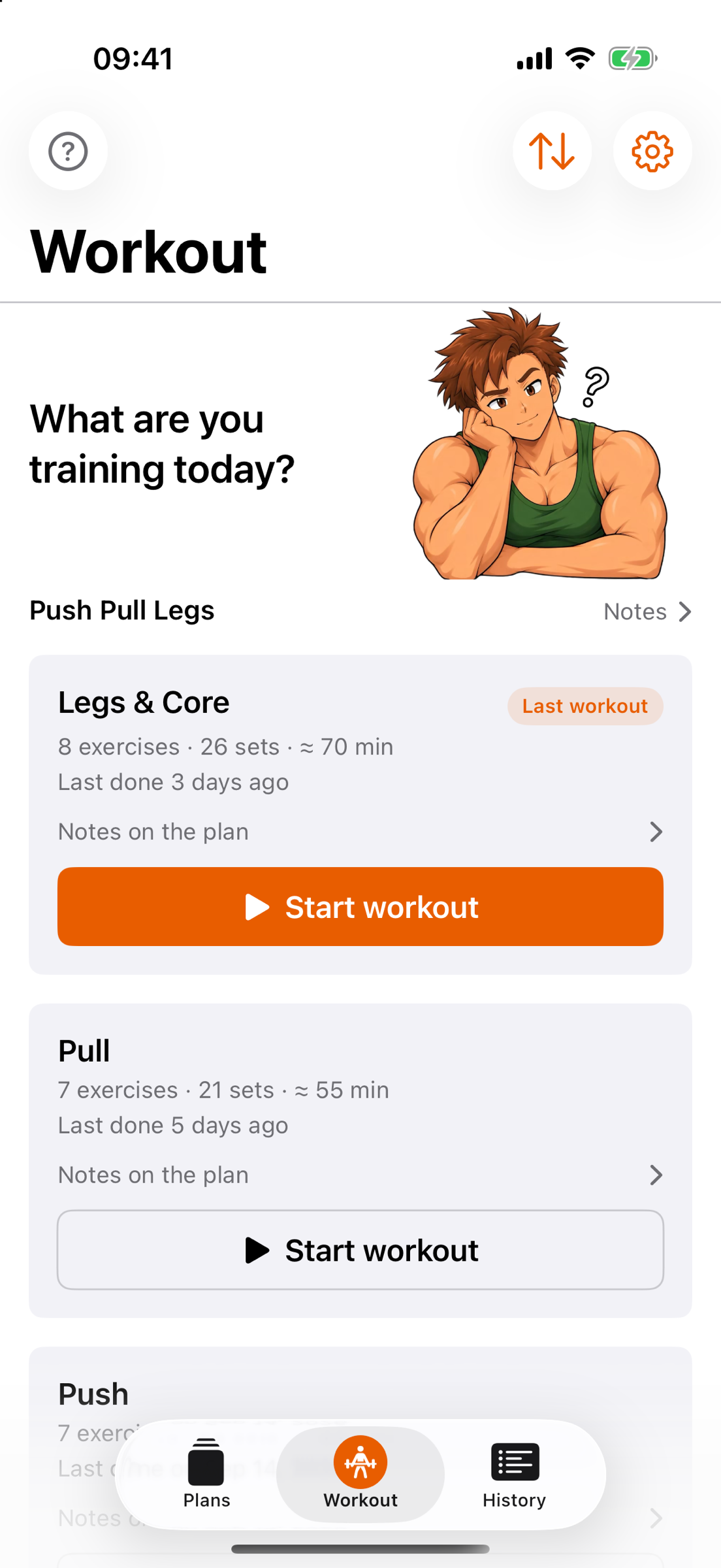
Workout shows your program with its sessions. Want to repeat your last one? It sits at the top of the list. Tap “Start workout” once and you’re off.
For iPhone and Apple Watch
Log your strength training the way you need it at the gym: open the plan, check off the set, the rest timer starts. No account, no subscription, no ads – and two training partners who see you through the session.
How a session goes
Workout shows your program with its sessions. Want to repeat your last one? It sits at the top of the list. Tap “Start workout” once and you’re off.
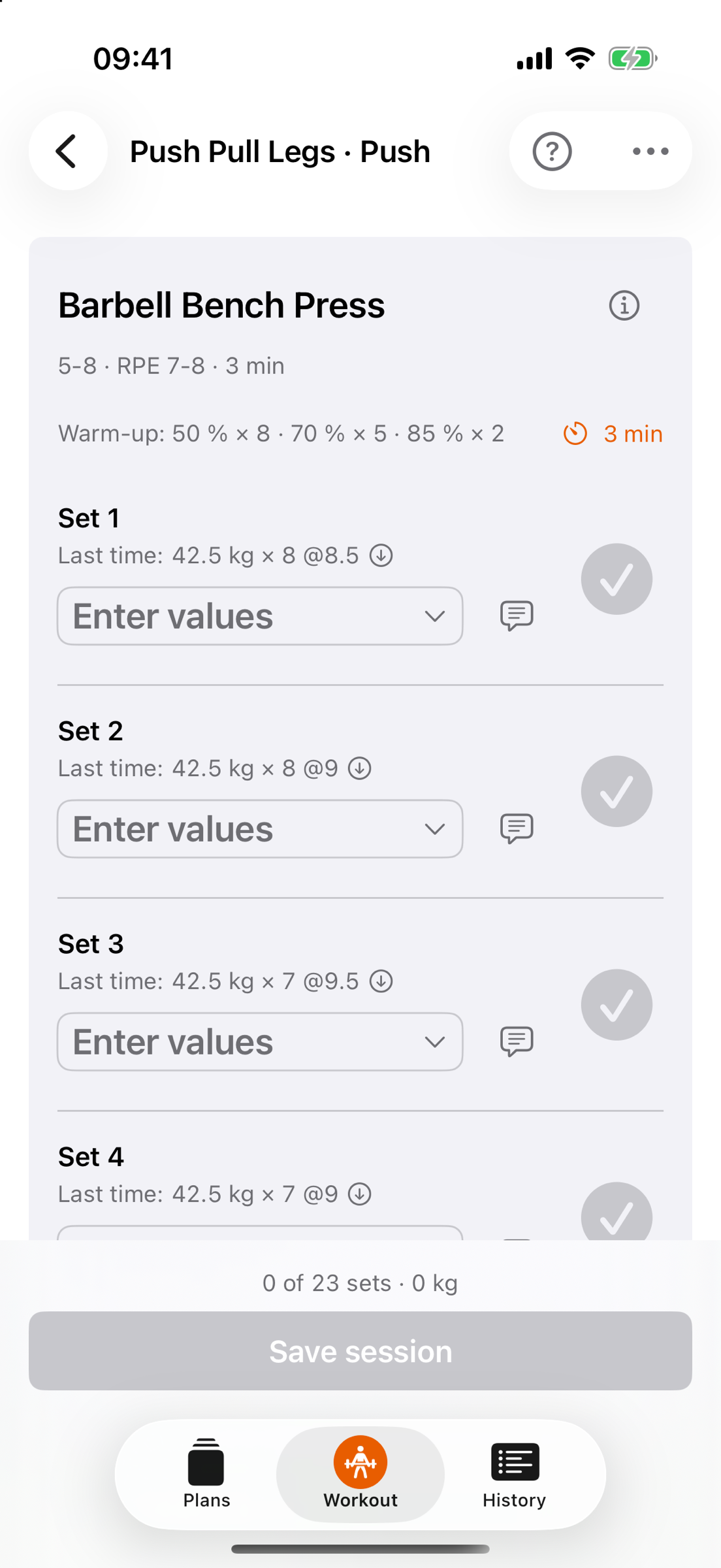
Every set shows what you did last time. One tap fills in the values, checking it off starts the rest timer – and after the rest the next exercise is already waiting.
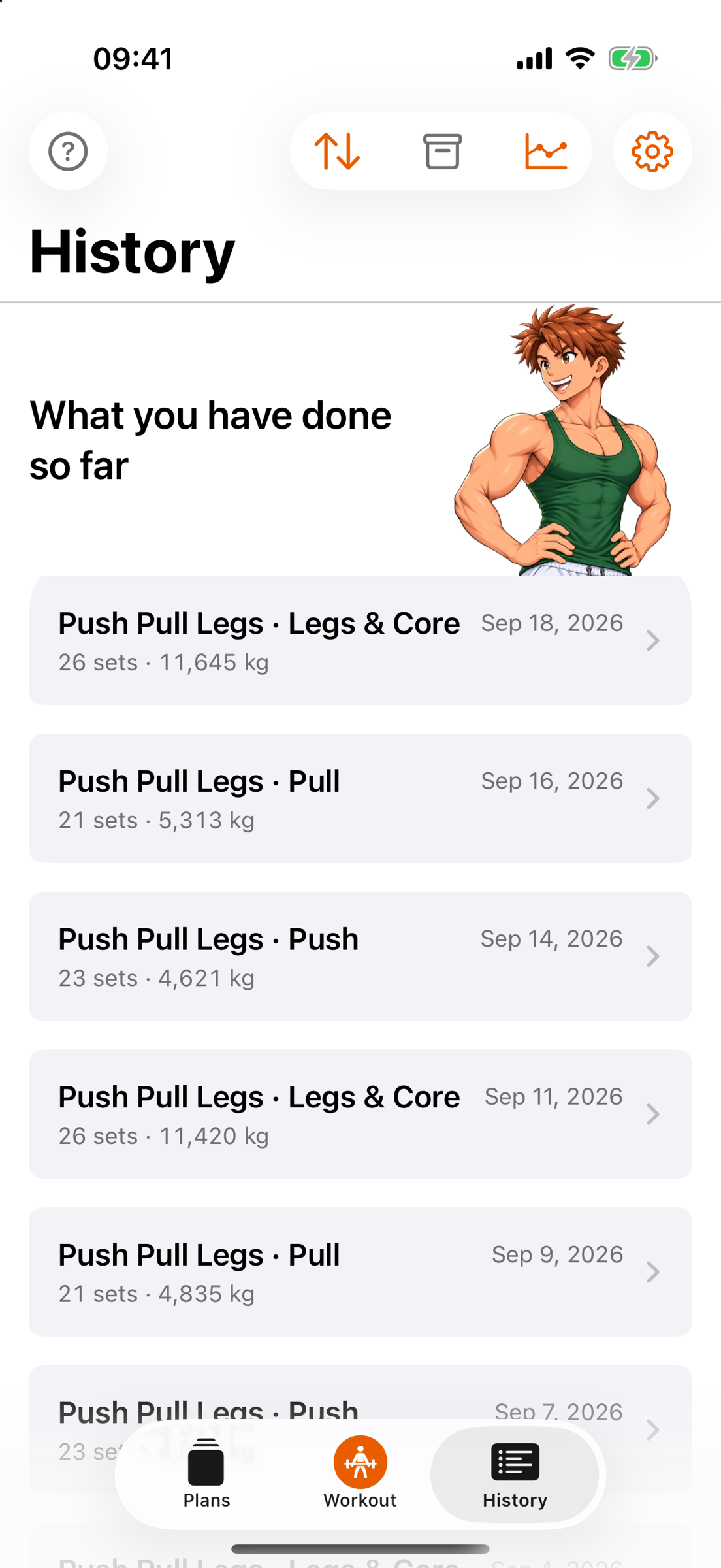
Every session is kept, with every set. Edit, add or delete later – and see in Analysis how exercises and muscle groups develop.
Plans & Programs
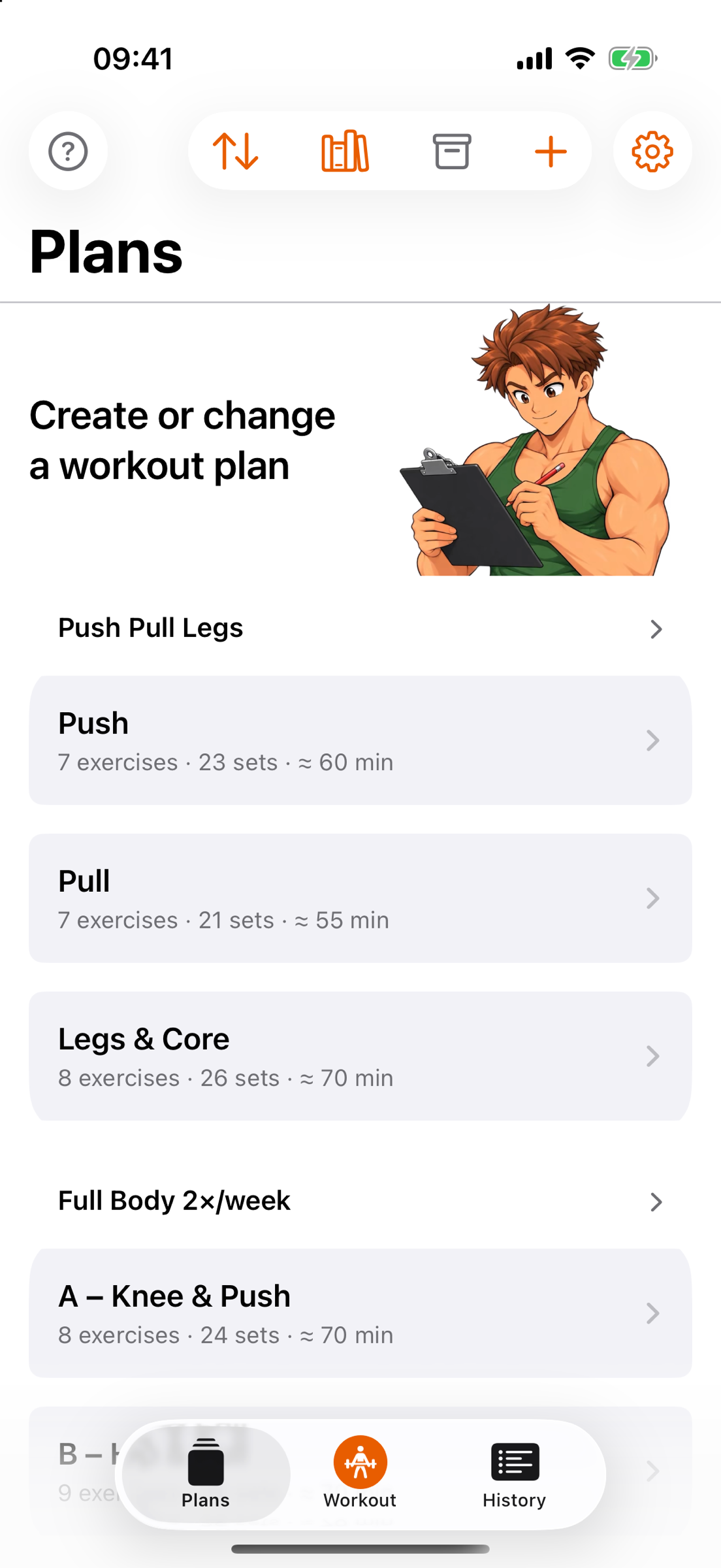
Ten programs come with the app – five for the gym, five for home, with one to three sessions a week. Sets, reps, RPE, rest and warm-up sets are laid out for you, so you can get started right away.
Or build your own: pick exercises from the library, define sets, targets and rest, drag to reorder, done. One program with all its sessions or a single plan is free – everything beyond that comes with Pro.
Library
Every exercise with an illustration, description, step-by-step execution and notes, in English and German. Filter by muscle group and equipment, search in both languages – and add your own exercises when something’s missing.
The illustrations are AI-generated; the texts were written with AI assistance and proofread. They are no substitute for instruction by a qualified trainer.
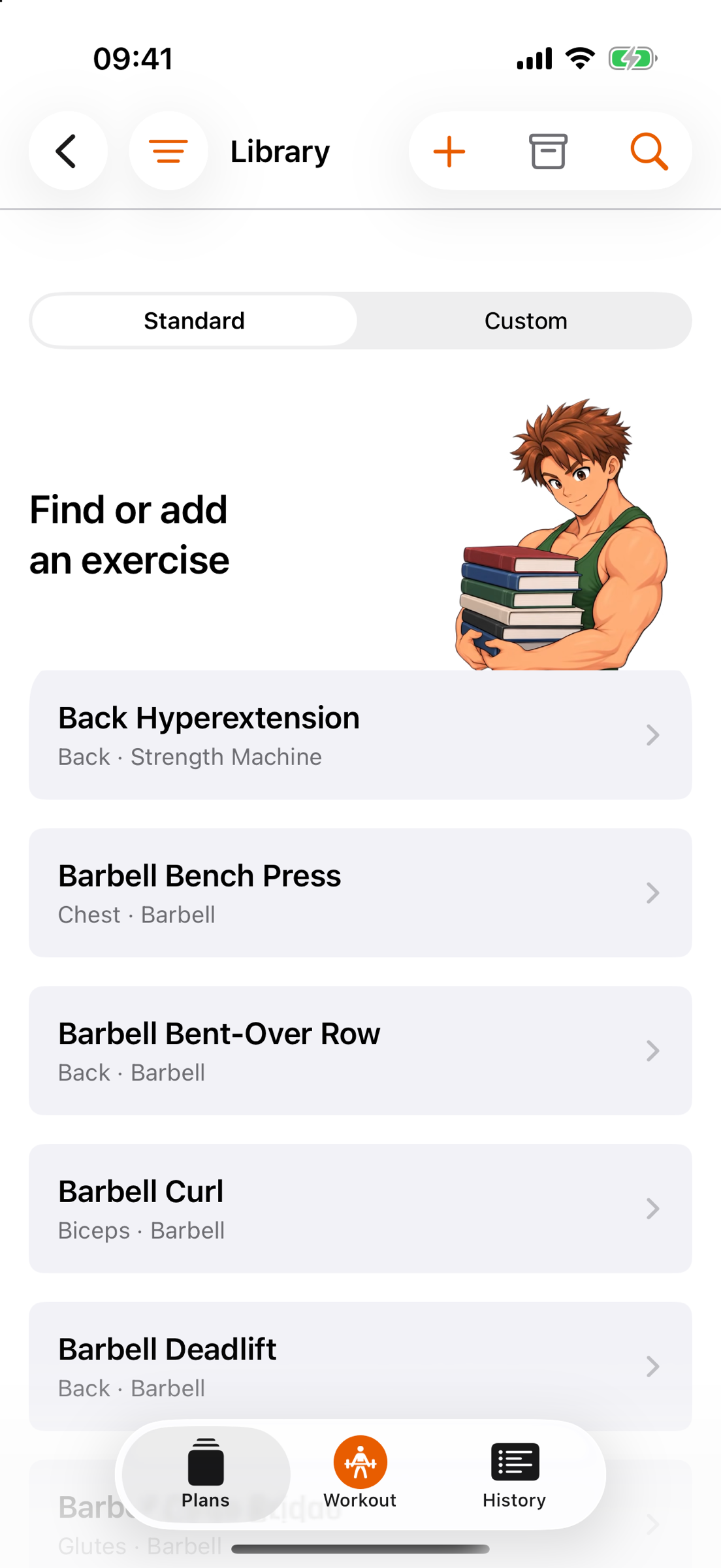
Alphabetical, with muscle group and equipment – or filtered to what your gym actually has.
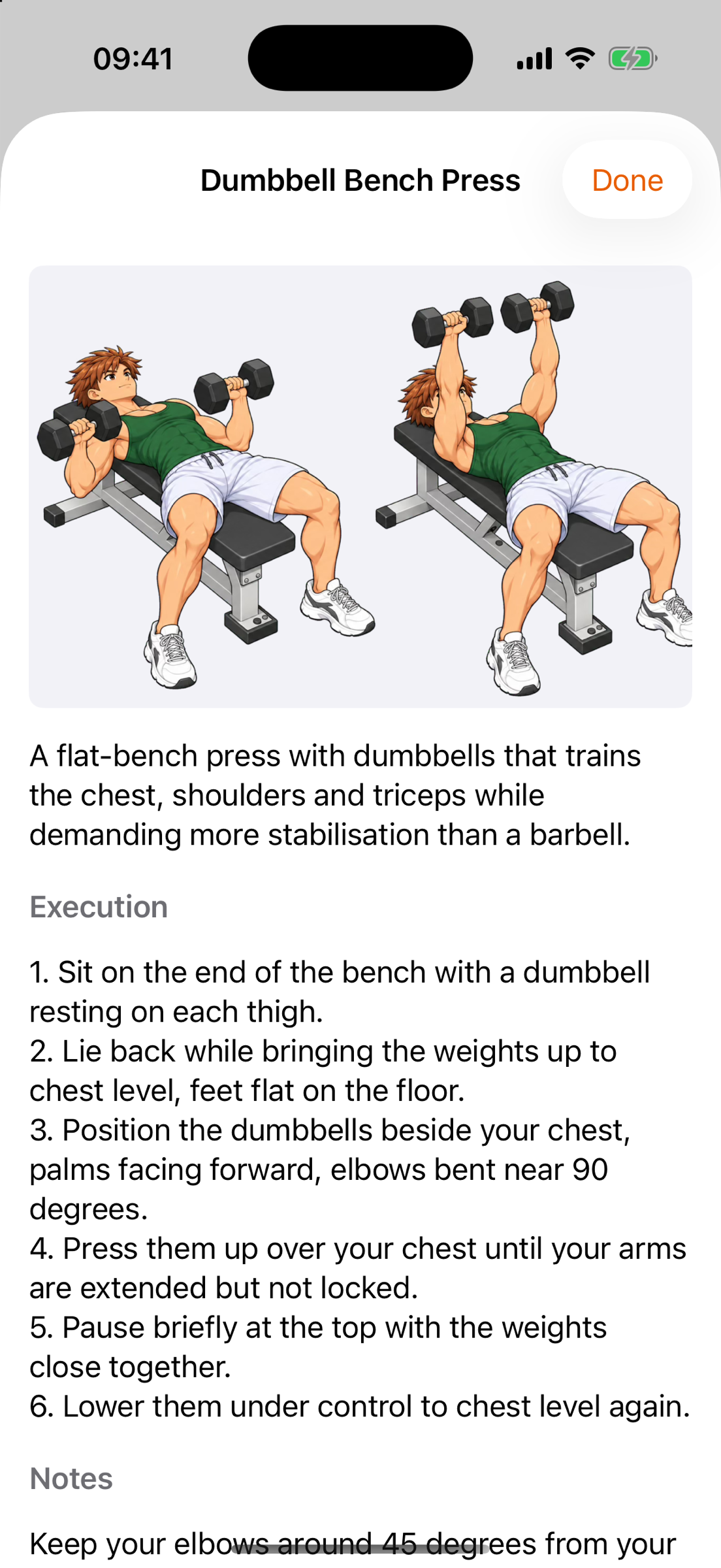
Start and end position, then description, execution step by step and notes. During a session it’s one tap on the ⓘ away.
What’s inside
Last time’s values on every set – weight, reps, RPE. One tap fills them in. Progression means changing one number, not twenty.
Sit as a line above the working sets: percent of the working weight times reps, with a rest button. They don’t count towards the total.
Starts on its own when you check off a set, as a Live Activity on the Lock Screen. Default rest is yours to choose (30 seconds to 5 minutes) and can be overridden per exercise. If the iPhone is in your pocket, it lets you know when time’s up – if you allow it.
Add a set or drop one – on the iPhone and on the watch. On the iPhone you can also append a whole exercise when there’s still something in the tank.
iPhone and Mac share your data through your private iCloud, which nobody else can reach. The watch gets plans and the session straight from the iPhone.
Library, plans and history as CSV, or everything as an archive you can restore in full – always, and free. Before every import the app backs up on its own.
Tap the question mark and the screen explains itself – tabs, plan editor and the running session – in chalk, only on request, never on its own.
Apple Watch
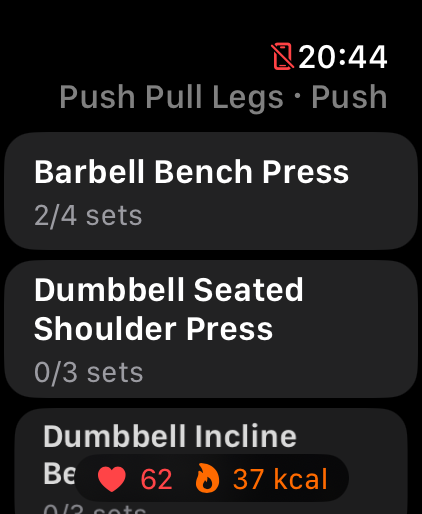
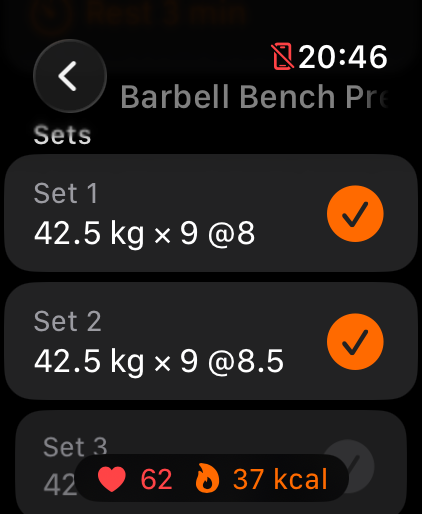
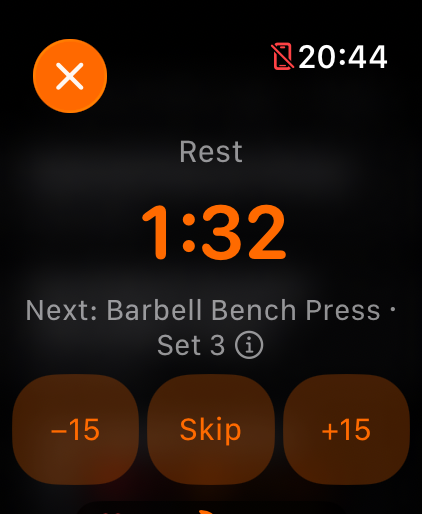
The whole session runs on the watch: pick the exercise, check off the set, add a set or drop one – and when the rest is up, it taps your wrist. Heart rate and calories show live in the pill at the bottom. At the end the session lands in Apple Health as strength training and in the history on your iPhone.
Gymbro & Gymsis
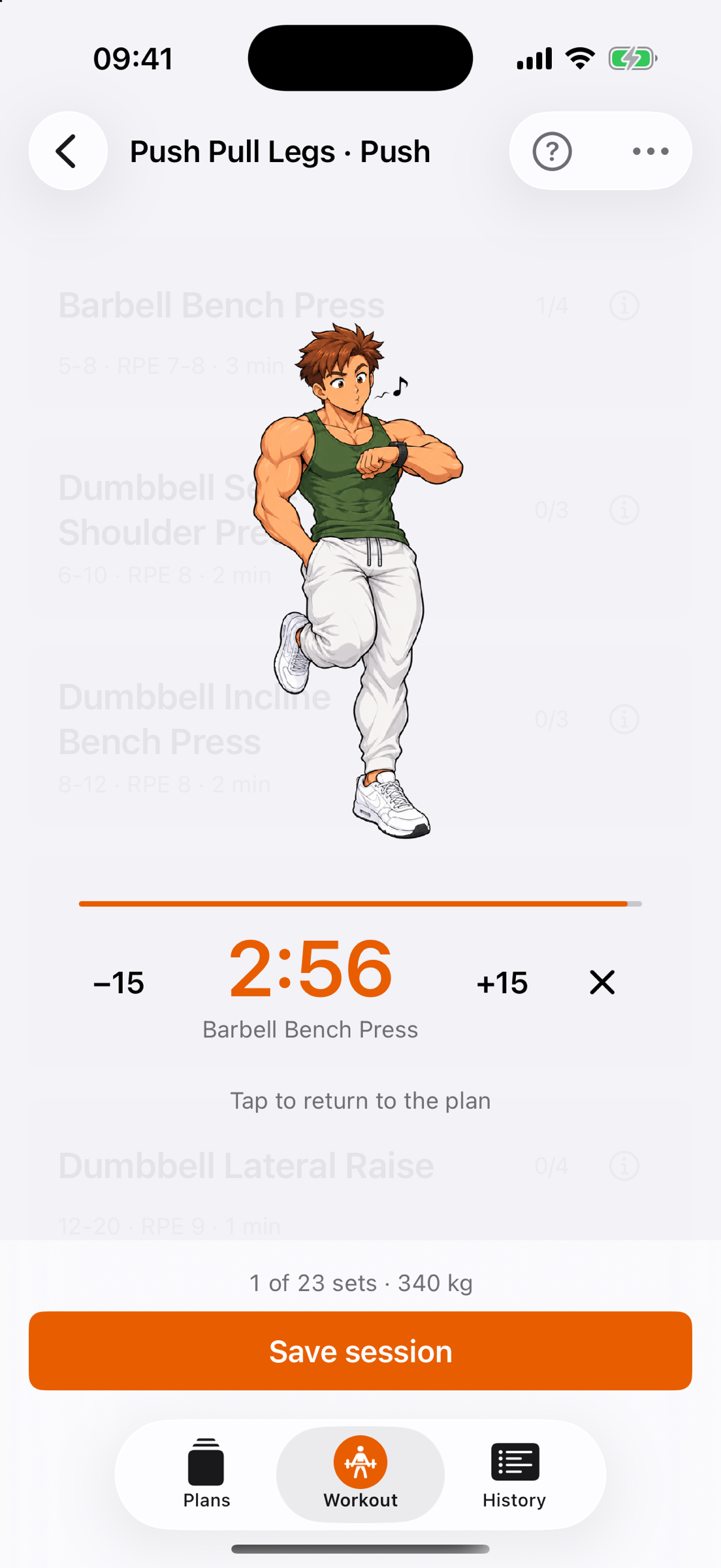
Gymbro and Gymsis demonstrate the exercises, wait out the rest with you and celebrate the session at the end. Prefer to train alone? Switch them off – or pick one of them as your regular partner.
No reminders, no motivational quotes, no streaks. They’re there when you need them and quiet when you don’t.
Analysis · Pro
One curve per exercise for score, weight, reps, RPE or minutes. The score is the estimated one-rep max (Epley formula) – it makes 60 kg × 12 and 70 kg × 5 comparable. Plus personal bests, sets and volume per workout, and the split across muscle groups.
Part of GymBro Pro. Logging is always free; the analysis comes with Pro.
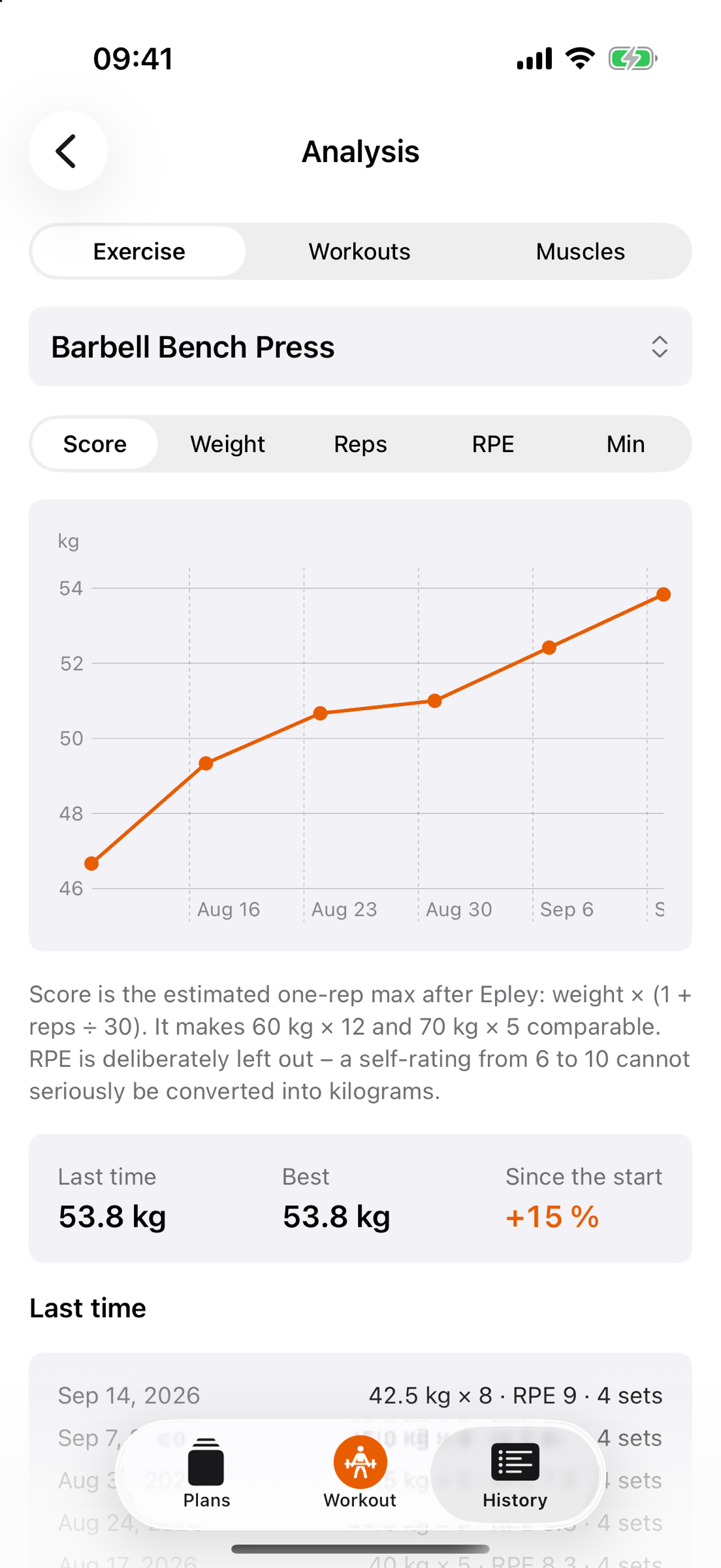
Bench press over six weeks: best 53.8 kg, +15% since the start.
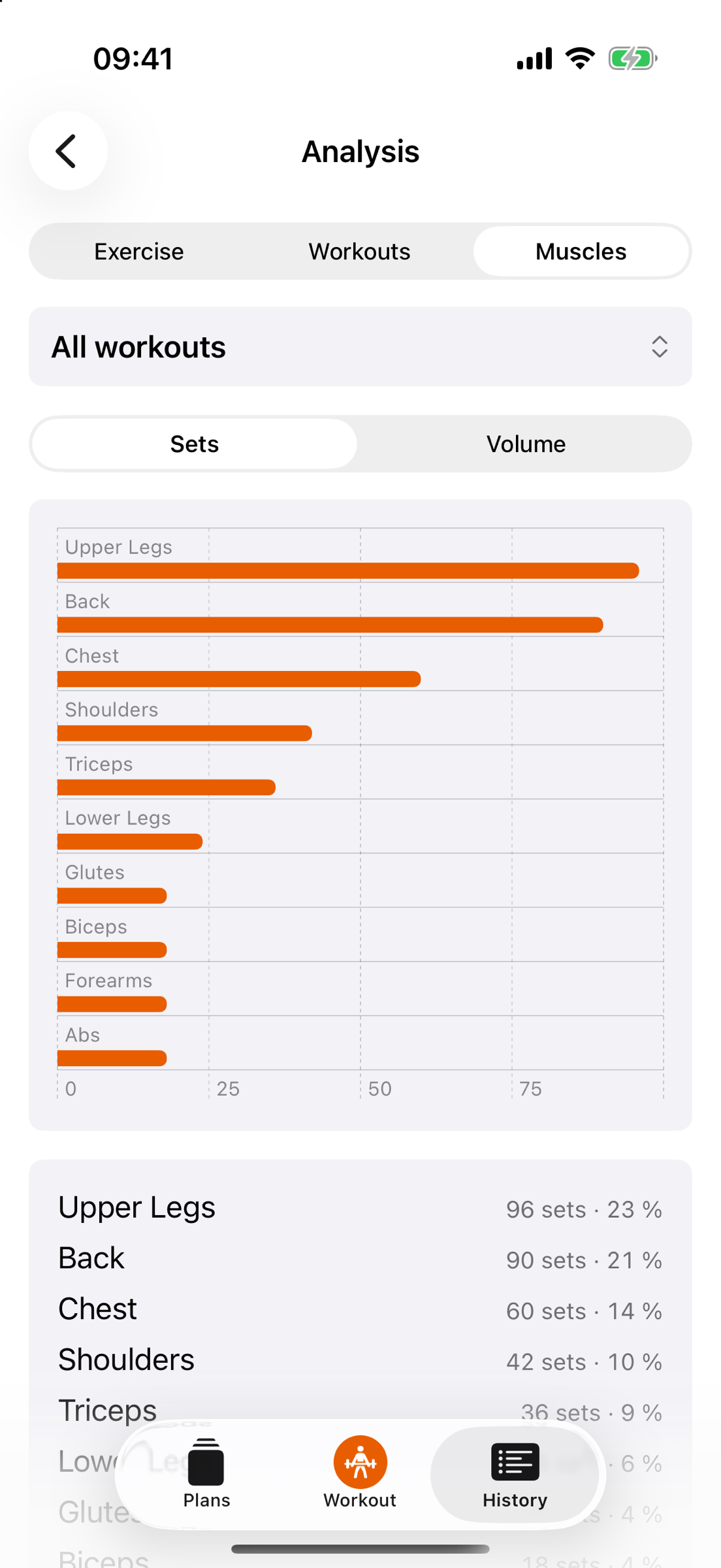
Sets or volume per muscle group across all workouts – and you see what’s falling short.
For the Mac
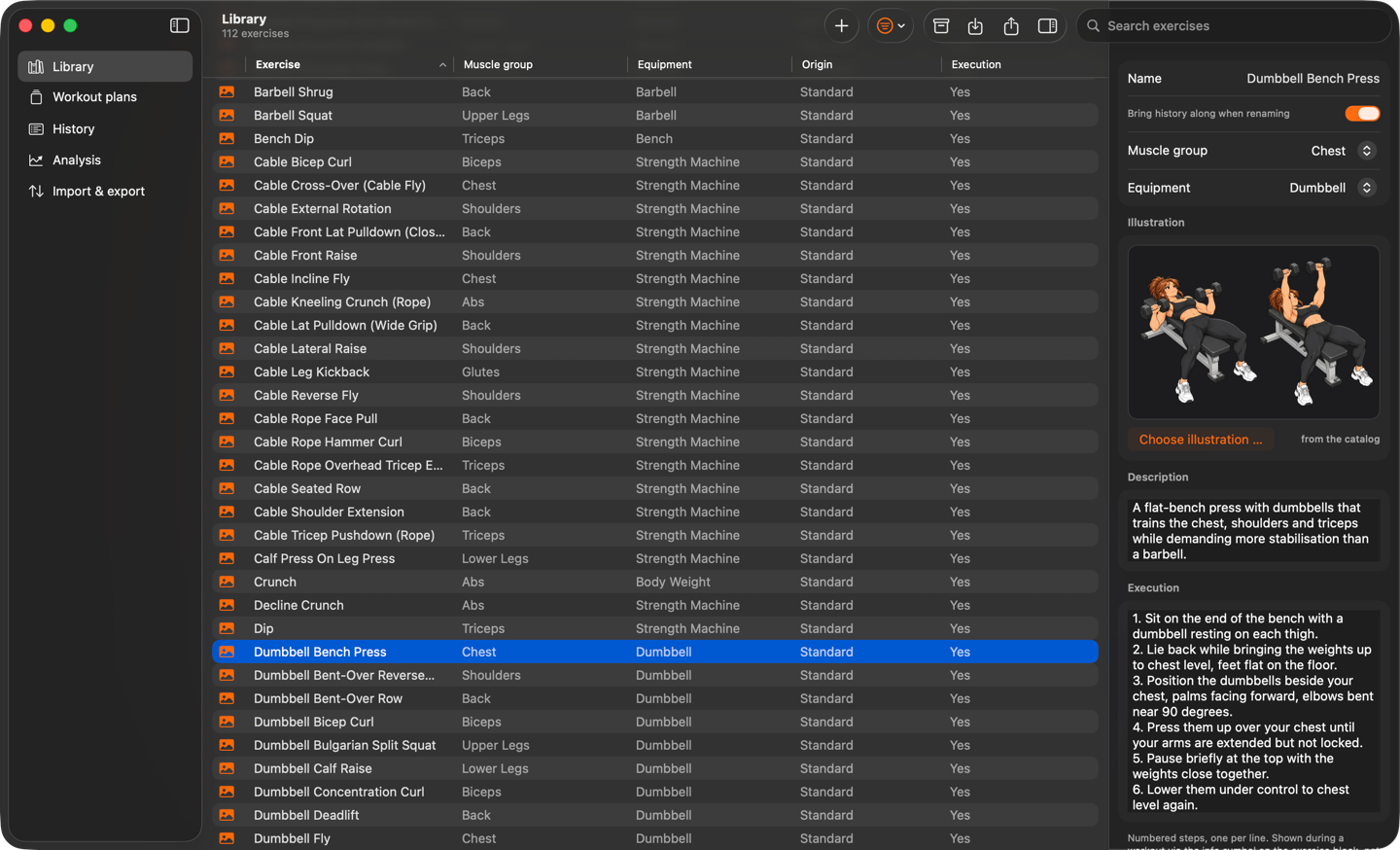
GymBro 3000 for Mac shows the same data in tables: the library with an inspector, workout plans with multi-select and keyboard shortcuts, history, analysis, import and export. Through your private iCloud, nothing extra to set up.
Part of GymBro Pro – one purchase for iPhone and Mac.

Free & Pro
The app is free and complete for training. Pro unlocks unlimited programs and plans, the analysis and the Mac app – one payment, Family Sharing included.
| Feature | Free | Pro |
|---|---|---|
| Exercise library, your own exercises | ✓ | ✓ |
| One program or one workout plan | ✓ | ✓ |
| Log workouts, last time’s values, history | ✓ | ✓ |
| Rest timer with Live Activity | ✓ | ✓ |
| Apple Watch app with heart rate and Apple Health | ✓ | ✓ |
| iCloud sync across your devices | ✓ | ✓ |
| Import and export of your data | ✓ | ✓ |
| Unlimited programs and workout plans | – | ✓ |
| Analysis: exercises, workouts, muscle groups | – | ✓ |
| GymBro 3000 for Mac | – | ✓ |
€2.99one-time, incl. VAT · GymBro Pro · Family Sharing included · local pricing may vary
In and out
In most training apps your data goes in and never comes out again. Here it travels both ways – as CSV, a file anything can open.
GymBro 3000 has no server, no account and no analytics. What you enter lives on your devices and – as long as iCloud is turned on for the app – in your private iCloud. We can’t see it. Period.
Questions
On the App Store – the badge at the top takes you straight there. The Mac version is on the Mac App Store; both are covered by the same purchase.
No. Everything works on the iPhone. The watch is the add-on for your wrist – checking off sets, rest, heart rate and calories – and it trains with you even when the iPhone is in the locker.
The download is free and includes everything for training with one program or one plan. GymBro Pro – unlimited programs and plans, the analysis and the Mac app – is a one-time €2.99 incl. VAT, no subscription, with Family Sharing. It is sold through the App Store; the price may differ by country.
The ten programs follow what systematic reviews and meta-analyses describe as settled evidence; each explains its structure and progression under “Notes”. They are written for healthy adults and are no substitute for instruction by a qualified trainer.
Yes, always and for free: library, plans and history as CSV, or everything as an archive you can restore in full – straight from Settings.
English and German, including the exercise library – search and names work in both.
Yes. GymBro 3000 for Mac is part of Pro: the same one-time purchase covers iPhone and Mac, with the same Apple Account. The Mac app is on the Mac App Store; there is no download outside the store.